Party and guild tracking
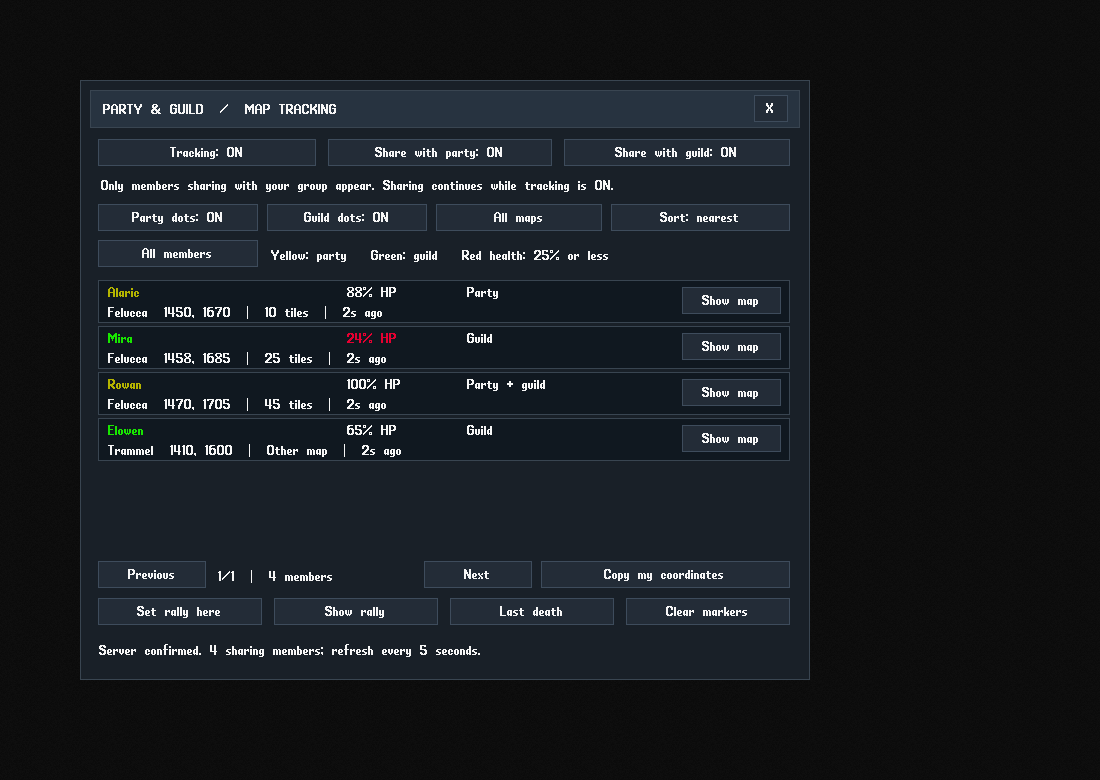
A named roster with health, distance, location age and map filters. Choose who you share with, focus on a member and control party and guild dots separately.
CUSTOM CLASSICUO · UPDATE 4 · WINDOWS x64
Track your party and guild on the map, record macros, build item counters and manage your bags from one client.
Standard edition · without Invicta gumps
Includes the Windows runtime and first-time setup utility. Use your shard's UO game data and connection details. The built-in assistant needs the server's policy helper before actions run.
WHAT IS NEW
A named roster with health, distance, location age and map filters. Choose who you share with, focus on a member and control party and guild dots separately.
Set a session rally point, return to your recorded death location and copy your coordinates. Open the roster with -tracking or bind it to a hotkey.
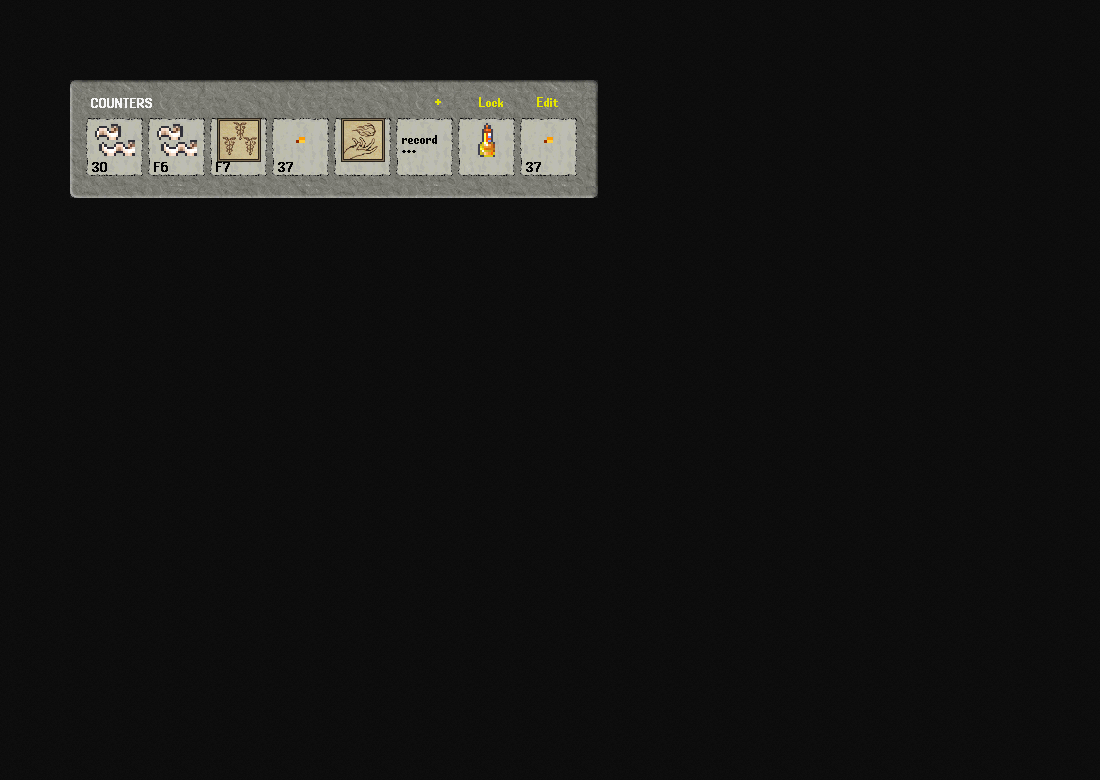
Live quantities, spell icons and action shortcuts. Drag items onto the bar, rearrange slots, double-click to use, right-click to remove and lock the layout.
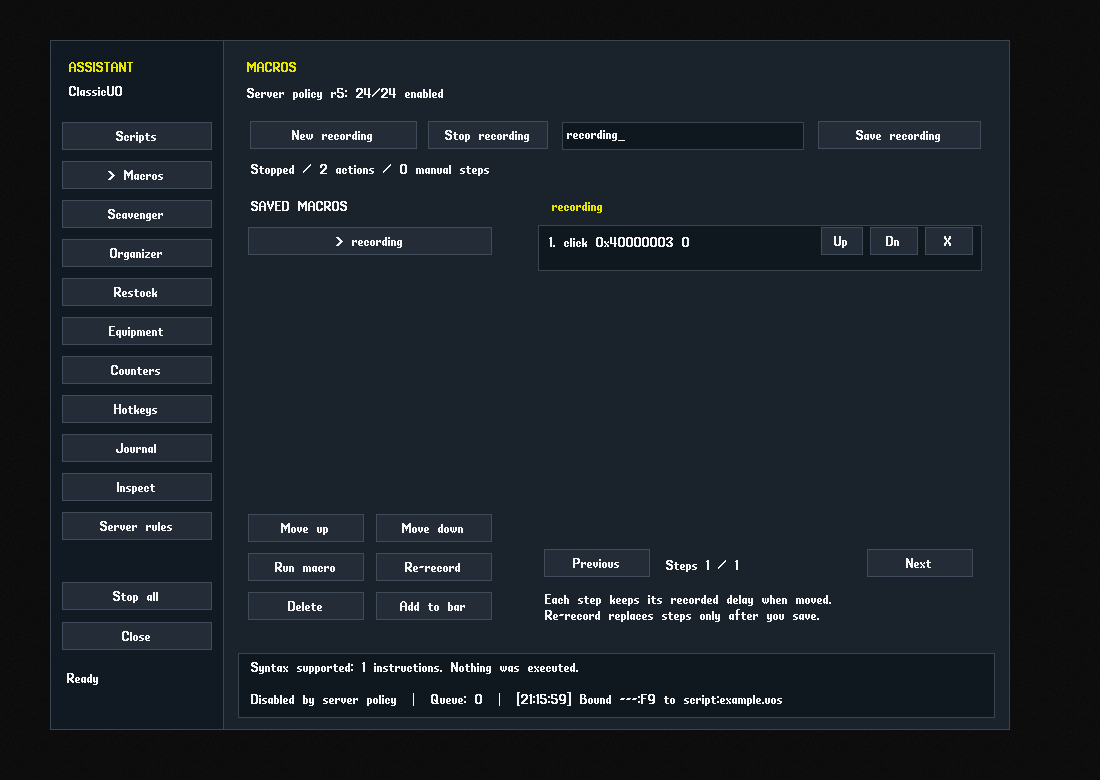
Record supported player actions, save a macro, re-record it, delete it or move its place in the library. Reorder or remove steps; earlier versions stay in history.
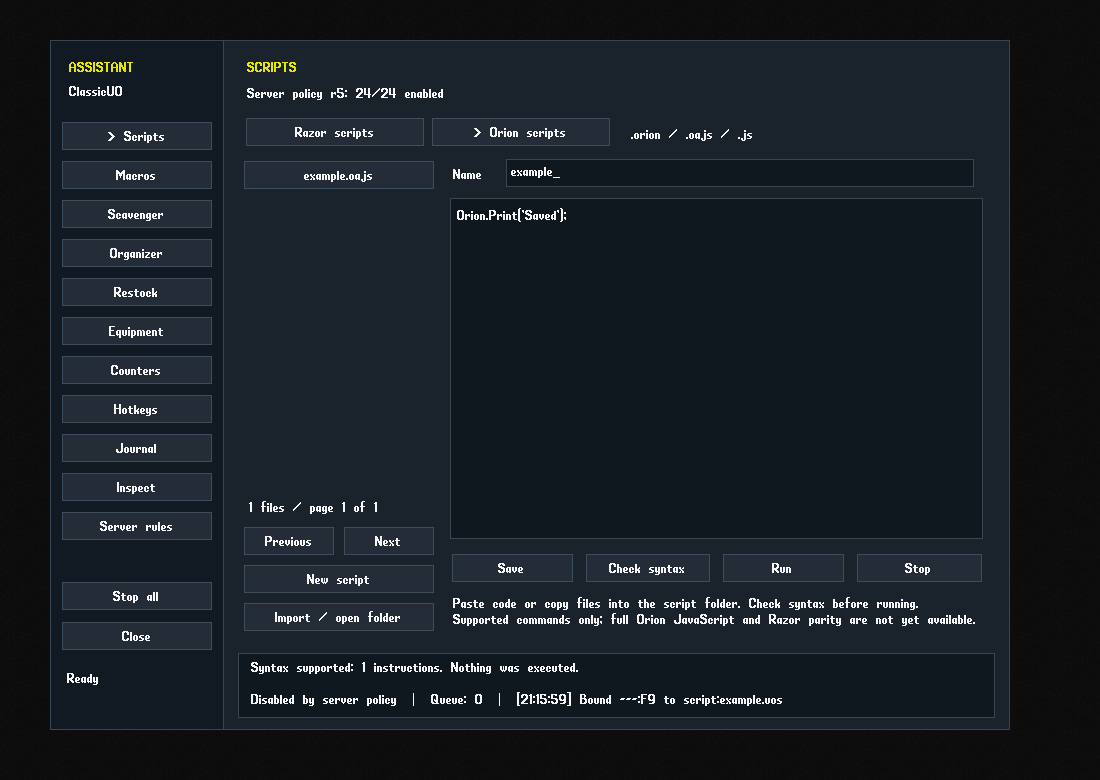
Razor and Orion each have their own file list and editor mode. Import, check syntax, save and run the documented command subset.
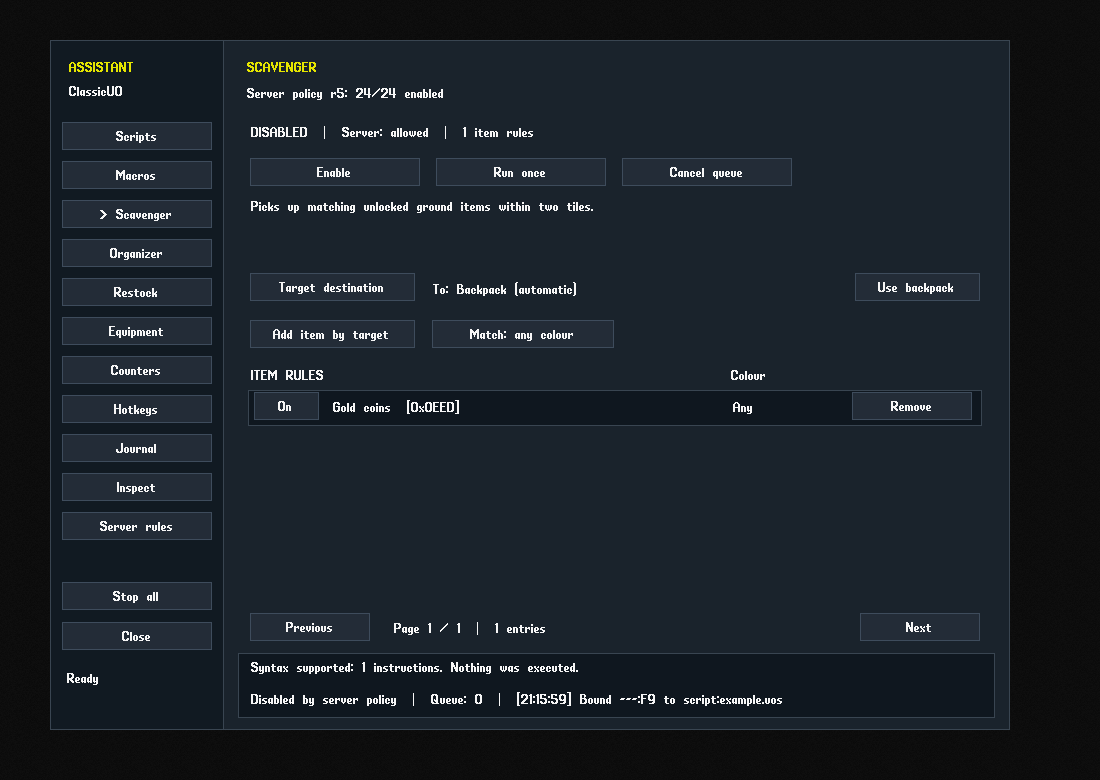
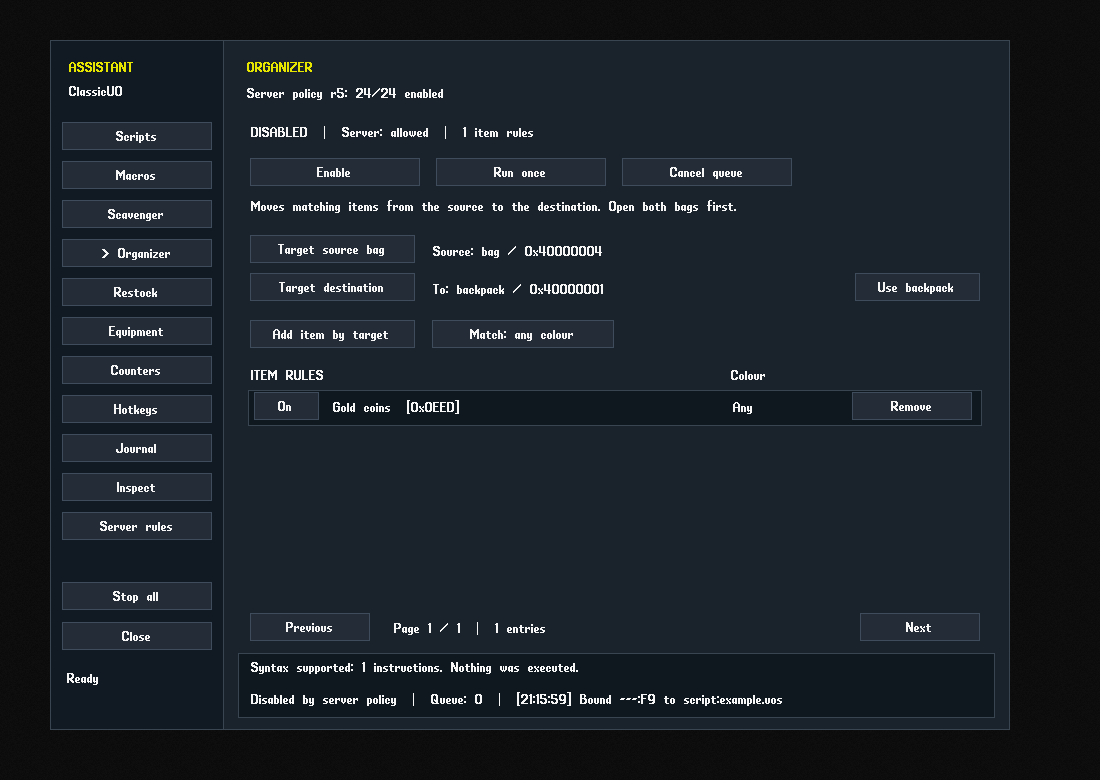
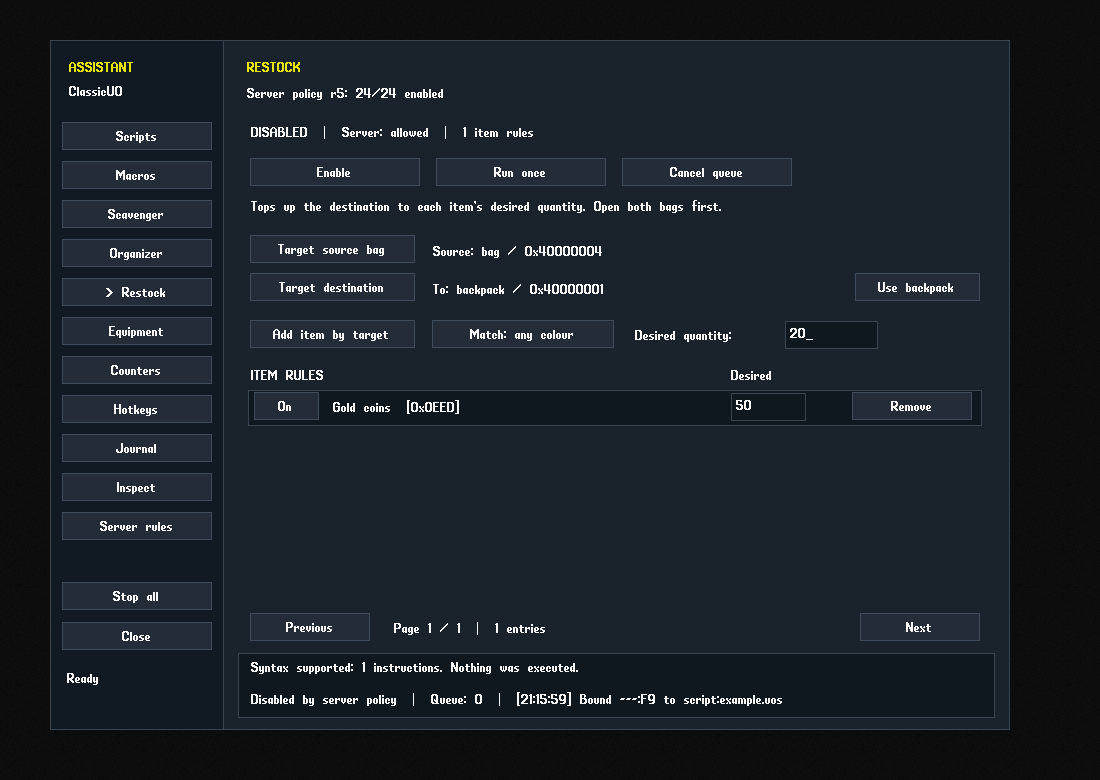
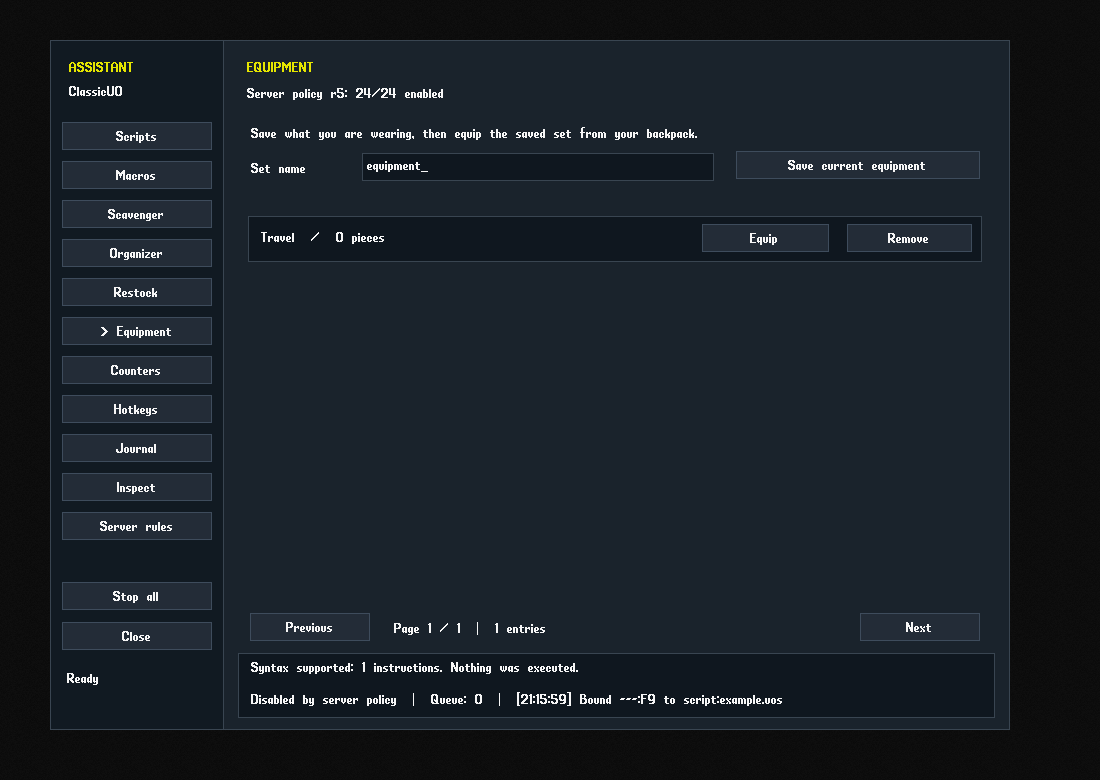
Scavenger, Organizer and Restock have their own rules, item targeting, container choices and controls. Save equipment sets on the Equipment page.
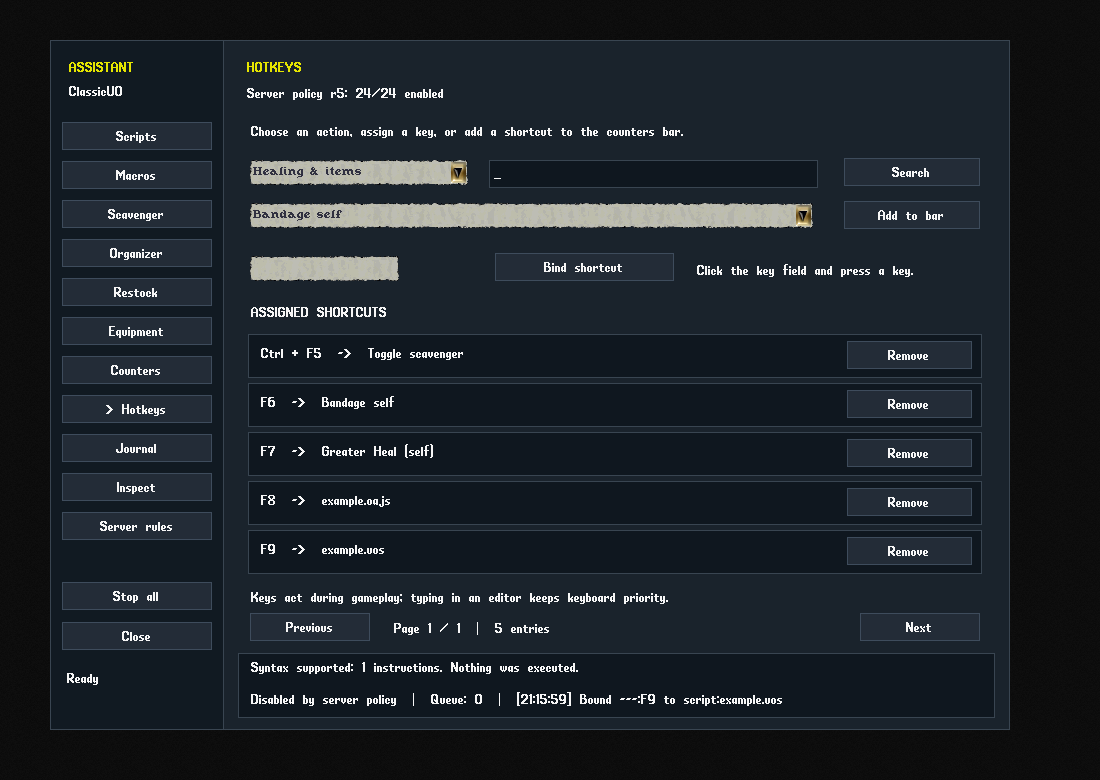
Bandage self, spell targets, items, skills, combat actions, saved macros and scripts share the action picker. Targeted healing waits for a fresh server cursor.
The Sphere master script controls the assistant with a master switch and individual 0/1 feature flags. Staff tools require server-confirmed PLEVEL 4 or higher.
Workspace, inventory and journal search, saved layouts, map tools, GM catalogs, spawning workflows and the optional UO Asset Studio bridge remain included. Standard uses native gumps from your selected game data.
SEE IT IN THE CLIENT
Real client captures using controlled offline sample data, showing the version offered on this page.
FIRST INSTALLATION
SPHERE SERVER ADMINISTRATORS
The assistant policy, group-tracking script and both staff helpers are included in Server-Scripts, alongside the client folder. Install them in the server's active scripts tree. Players do not install these helpers.
Back up the active scripts and resource list. Copy the helpers into the matching scripts/functions directories. If not already loaded by a folder include, add their relative paths once inside the existing [RESOURCES] section. Follow Server-Scripts/INSTALL.txt and pages 23–29 and 33–34 of the PDF.
Increase assistant_revision after changing policy, then use the server's normal resync or restart procedure. Open Assistant → Server rules to inspect received permissions. Missing, expired or invalid replies lock assistant actions.
Switches do not grant staff privileges. The server still controls command permissions and game rules. The fastrotation flag is reserved; this release has no separate fast-rotation implementation. Other server engines need compatible helpers.
A custom community build based on ClassicUO 1.1.0.0, updated 27 September 2026 with party and guild tracking. This download is Standard, without bundled Invicta gumps.
The assistant implements the documented Orion/Razor command subset, not their complete external engines. Check syntax before running imported scripts. The recorder captures supported outgoing actions; trade, complex editors and other unsupported interactions may need manual steps. UO Asset Studio is a separate application.
490 client tests and 18 setup tests passed. Both running editions passed the native behavior checks, including 123 permission refusals each without sending an action packet. An isolated Sphere server confirmed staff levels 1–7, mixed feature flags and the Workshop threshold at levels 3 and 4. This revision fixes script syntax and quoted text, alias revocation, hand aliases, settings recovery and nested agent containers. New real-Sphere tests confirm group membership, consent expiry, leaving groups, cross-map locations and all four tracking switches. The ZIP includes a feature-by-feature report in Docs/FUNCTIONAL-CHECKS.md. Screenshots use controlled offline data. Actual shard acknowledgements, spell and skill results, spawn validation and display scaling still need gameplay checks.
CUSTOM CLASSICUO / RELEASE HISTORY
· Update 4
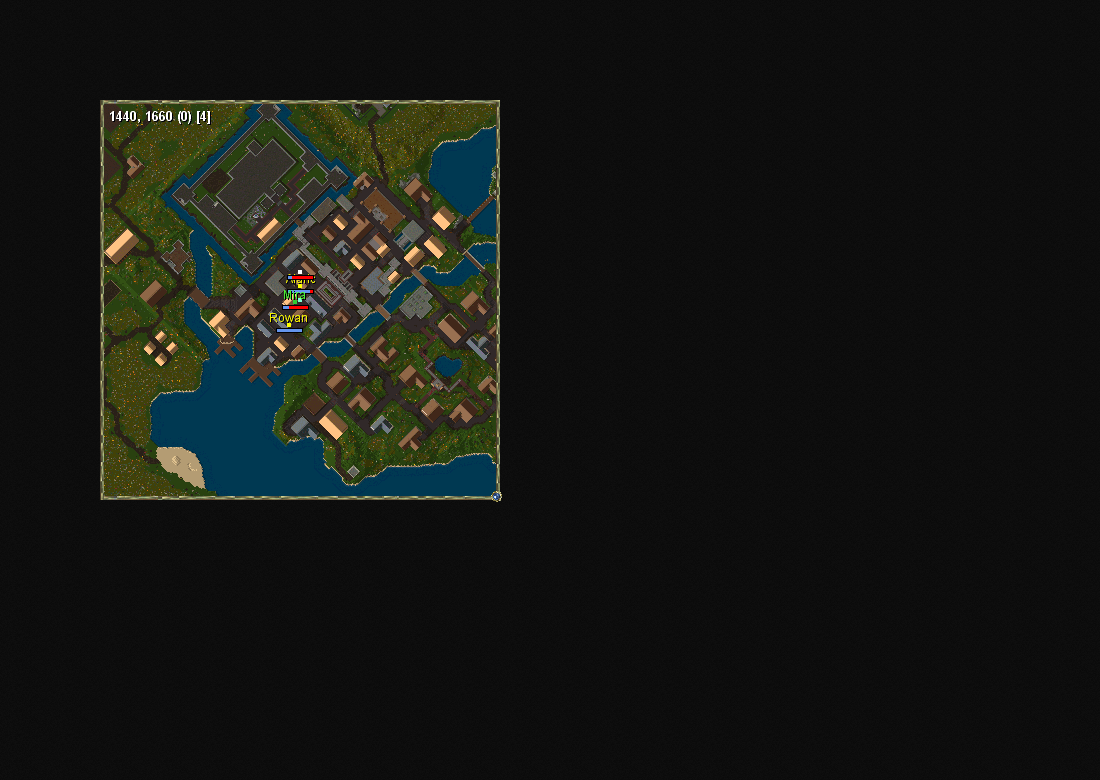
Open -tracking, Workspace → Map, or the world-map menu. The roster shows members who opted into the same party or guild, with names, reported health, distance, map and location age. Click Show map to focus on a member. Party and guild dots have independent switches.
490 client tests and 18 setup tests passed. Both native editions and real isolated Sphere tracking tests passed. The 34-page guide includes setup and limits. Custom guild systems, larger rosters, live gameplay latency and every display scale still need shard-specific acceptance.
The Standard download includes these corrections. Both Standard and Invicta packages use the same updated client features.
Syntax checks reject unsupported commands and malformed recorded actions. Orion text keeps its quotes and spacing. Revoked alias permissions take effect, character changes clear old script state, and file-access errors stop scripts safely.
Saved names retain case-insensitive matching after restarting. Damaged settings are preserved for recovery. Left and right hand aliases now match their equipment shortcuts.
Agents reject missing or nested source/destination bags. Overlapping “any colour” and exact-colour restock rules count items already queued, preventing duplicate top-ups.
The updated 32-page guide and a feature-by-feature verification report are included. 459 client tests and 18 setup tests passed; both editions and isolated Sphere staff/policy checks passed. Actual shard actions, spawning and display scaling still need gameplay acceptance. Fast rotation remains reserved, and scripting supports the documented Orion/Razor subset.
Release files and full notes ↗ · Installation and upgrade instructions ↑
Matching Standard and Invicta packages, item counters with pictures and rearrangeable shortcuts, macro re-recording and step management, separate Orion/Razor script modes, dedicated item agents and server-controlled feature switches. Standard is the public download, without bundled Invicta gumps.